
SpadesSC
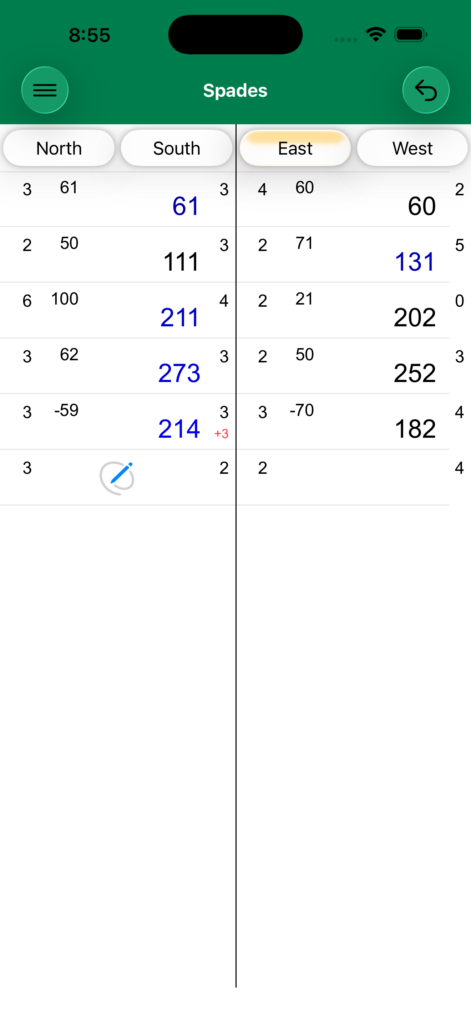
Using the Application
The Menu button gives you access to:
- New Game — Start a fresh game
- Option Sections — Configure game options
- Game History — Review completed games
- Subscription — Manage your subscription
Starting
When the scorecard starts, choose the first dealer: North, East, South, or West. Tap the player's name to select them. Names can be changed by long pressing a name and tapping Rename.
Bidding
Tap Bid. Bidding starts with the player to the left of the dealer and proceeds clockwise. Tap each player's bid (the number of tricks they intend to take).
Scoring
Tap Score after each hand.
- For standard bids, enter the tricks taken by Team 1 (North/South). Team 2's tricks are calculated automatically.
- For a Nil bid, enter the Nil bidder's tricks, then their partner's tricks.
- When both players on a team bid Nil, each is entered separately.
Options
Simplified Bidding — Combines team bids into a single entry rather than individual bids per player.
Overtricks — Choose how overtricks (bags) are handled:
- No Overs — Overtricks score zero
- Double Over — Overtrick points are doubled
- Double Back — Overtricks are subtracted from score
- Bags Count — Accumulate bags; penalty applied at threshold
Nil Bags Count — Controls whether tricks taken on a failed Nil bid count as bags.
Progressive Bags — Bags accumulate across hands.
Blind Bidding — Enable blind nil or blind bidding options.
10-4-200 / 11-4-220 / 12-4-240 — Bonus scoring variants for high bids.
Bonus and penalty point values are fully customizable.
Privacy Policy
This app collects no user data of any kind. All data, such as player names, scores, and game history, are recorded on your devices and only your devices. This data may be synced across your own devices via iCloud.