
RookSC
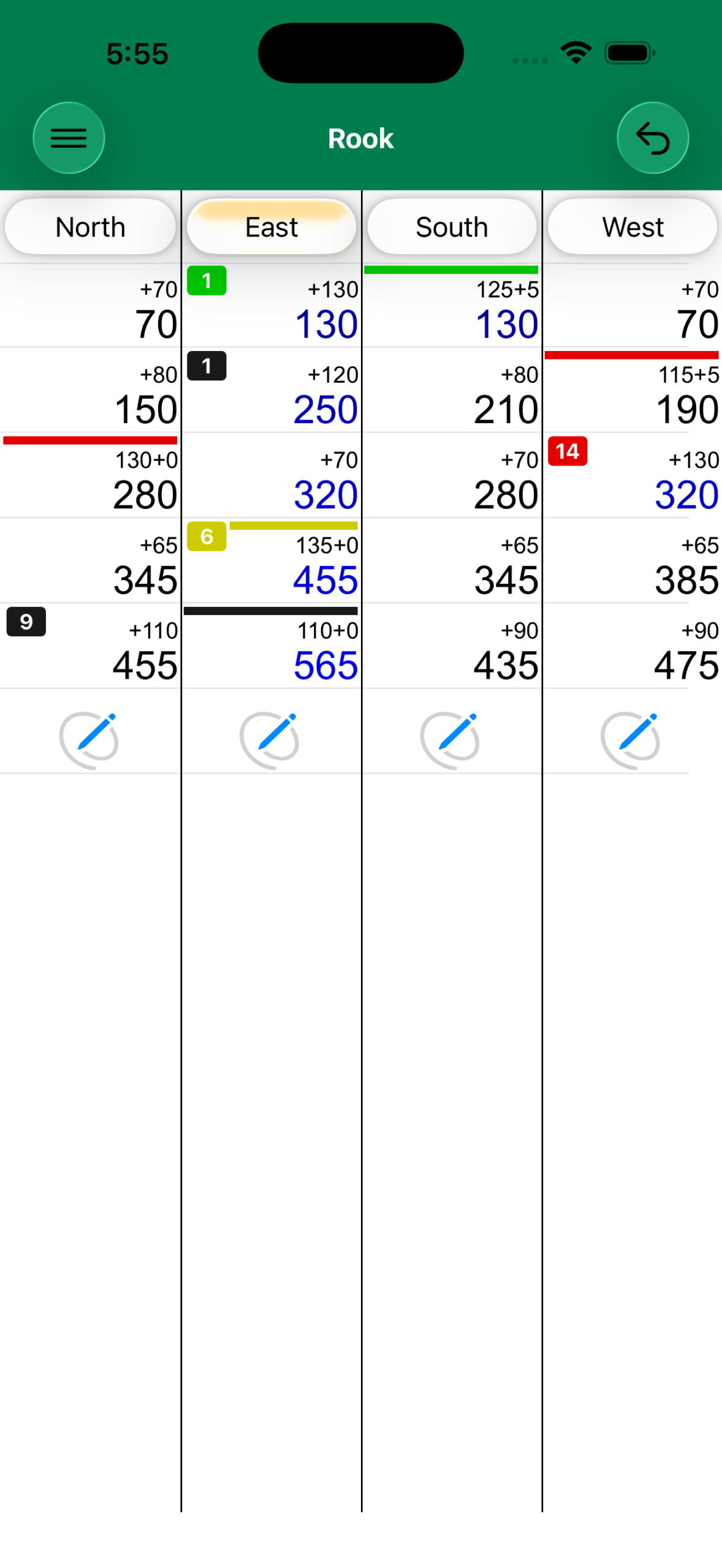
Using the Application
The Menu button gives you access to:
- New Game — Start a fresh game
- Option Sections — Configure game options
- Game History — Review completed games
- Subscription — Manage your subscription
Starting
Select the first dealer: North, East, South, or West. For 6-player games, Up and Down positions are also available. Names can be changed by long pressing a name and tapping Rename.
Standard Bidding & Scoring
Tap the Declare button under the bidding player, select the points bid, then choose the trump color. After the hand, tap Score and enter the declaring team's points.
Call Partner Variation
After selecting trump, specify the called card (trump suit then rank). For 6-player games, two cards are called. After the hand, tap Score to enter the declaring team's points, then select the partner's name (or two teammates for 6 players).
Options
Use 1's — Include the 1 cards in scoring.
Use Baby Bird / Red 2 — Enable the Baby Bird or Red 2 special card.
Baby Bird / Red 2 Value — Set the point value (default: 20).
Call Partner — Enable Call Partner mode.
Track Called Cards — Show which cards have been called during play.
Privacy Policy
This app collects no user data of any kind. All data, such as player names, scores, and game history, are recorded on your devices and only your devices. This data may be synced across your own devices via iCloud.